Run your whole tattoo business from one app.
Bookings, clients, deposits and the money at the end of the session, built for artists who work for themselves.
30-day free trial with every feature included, then only $40/month. We don’t take commission.
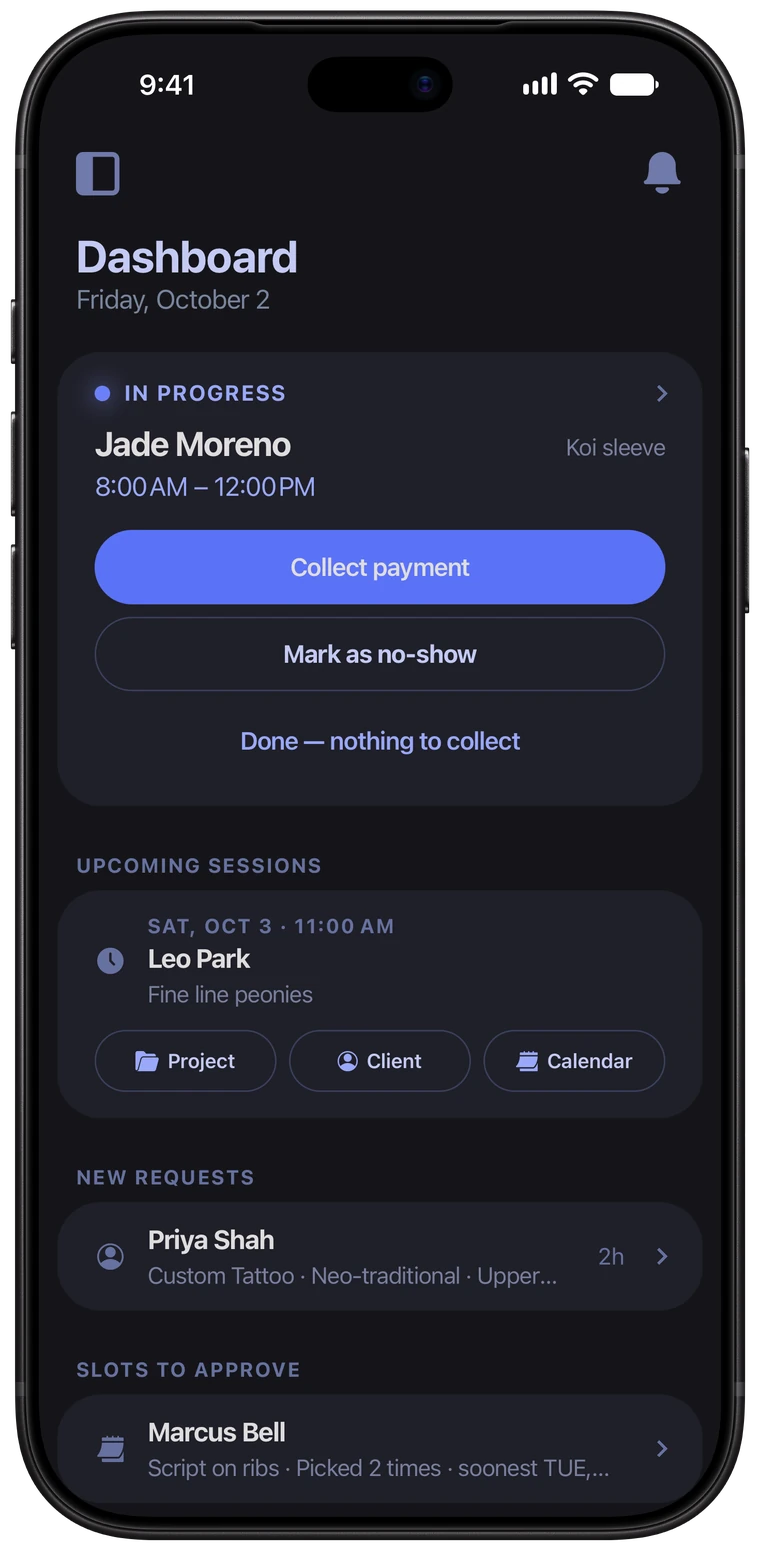
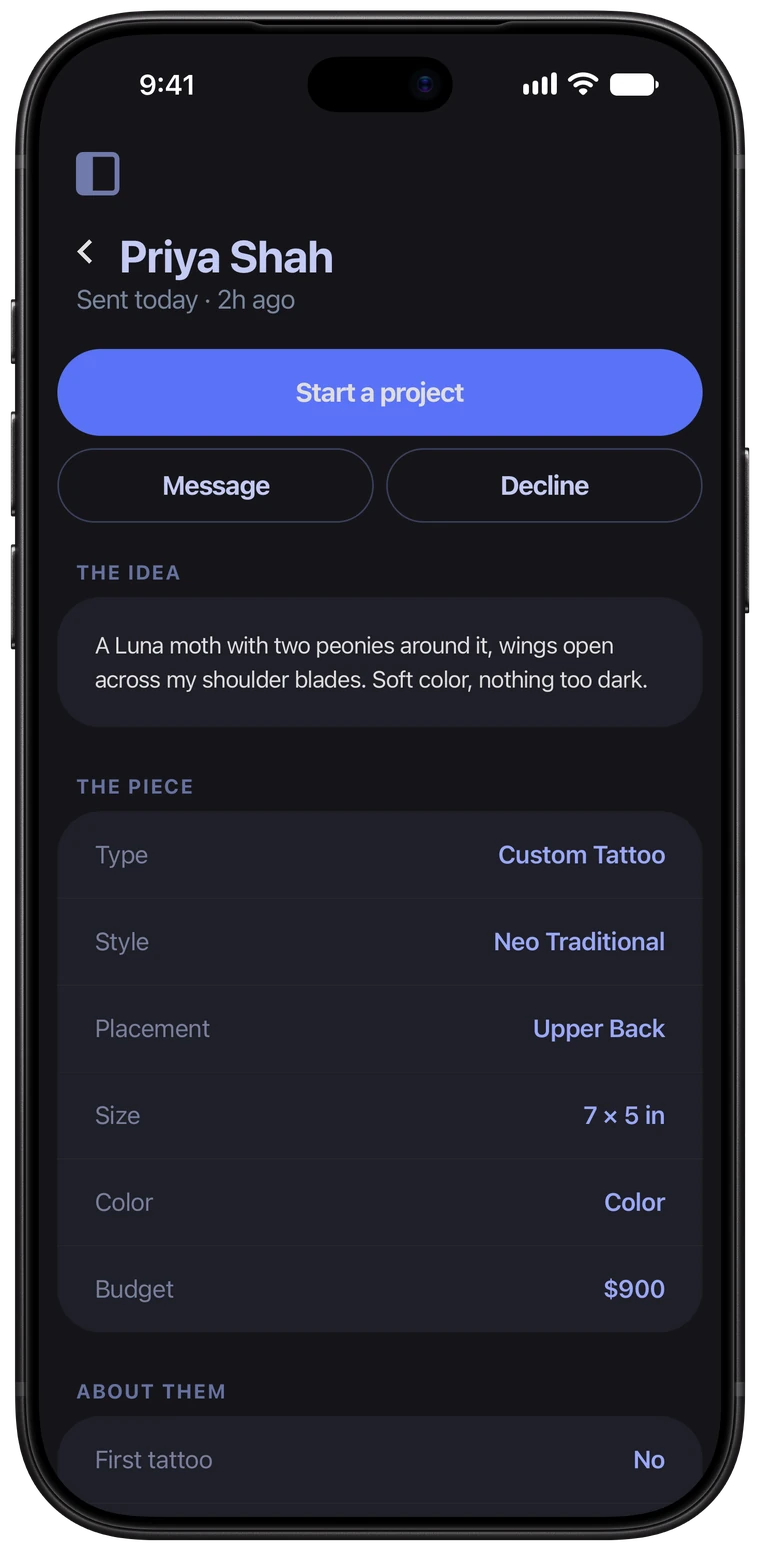
Everything that needs your attention, in one place.
- The session in progress
- Upcoming sessions
- New requests
- Clients who picked their times
- Unread messages
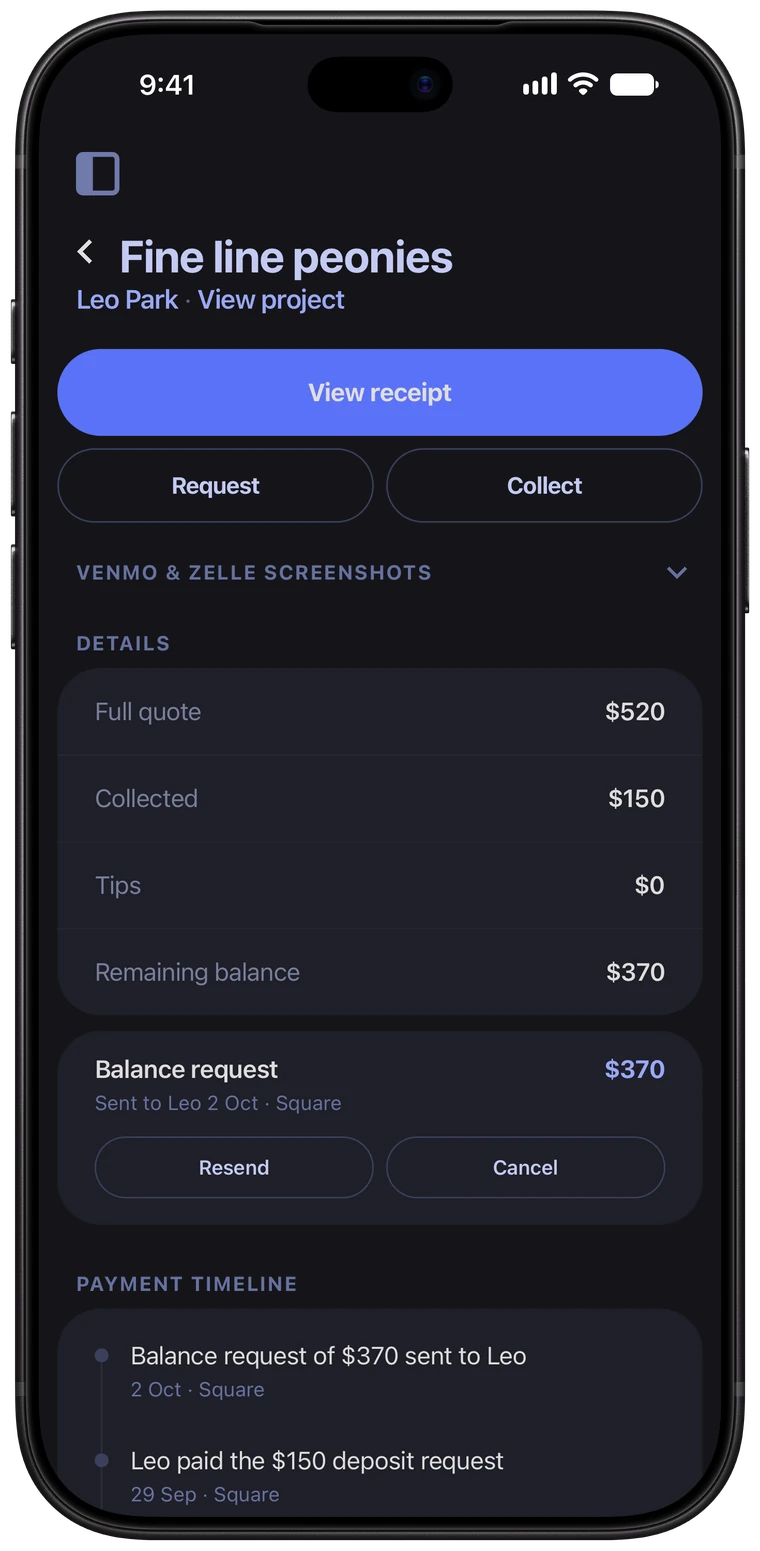
Send a link. Get paid.
Four steps from “how much is the deposit?” to money in your account.
- 1Open the project and enter the deposit.
- 2Send it. Your client gets a pay link by email.
- 3They tick your deposit terms and pay by Square, Stripe, Zelle or Venmo.
- 4Square and Stripe payments mark themselves paid, and the project shows what’s left.
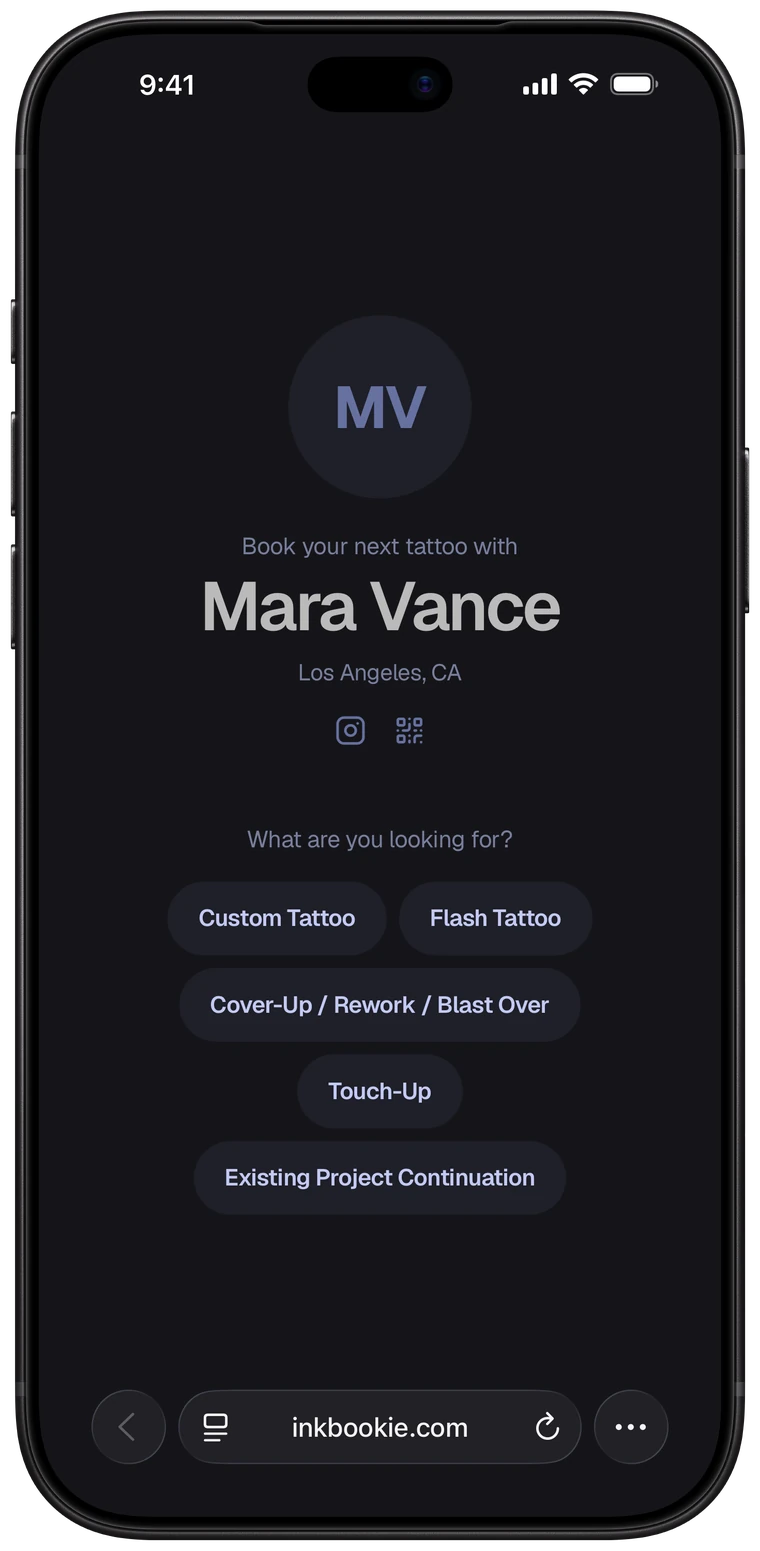
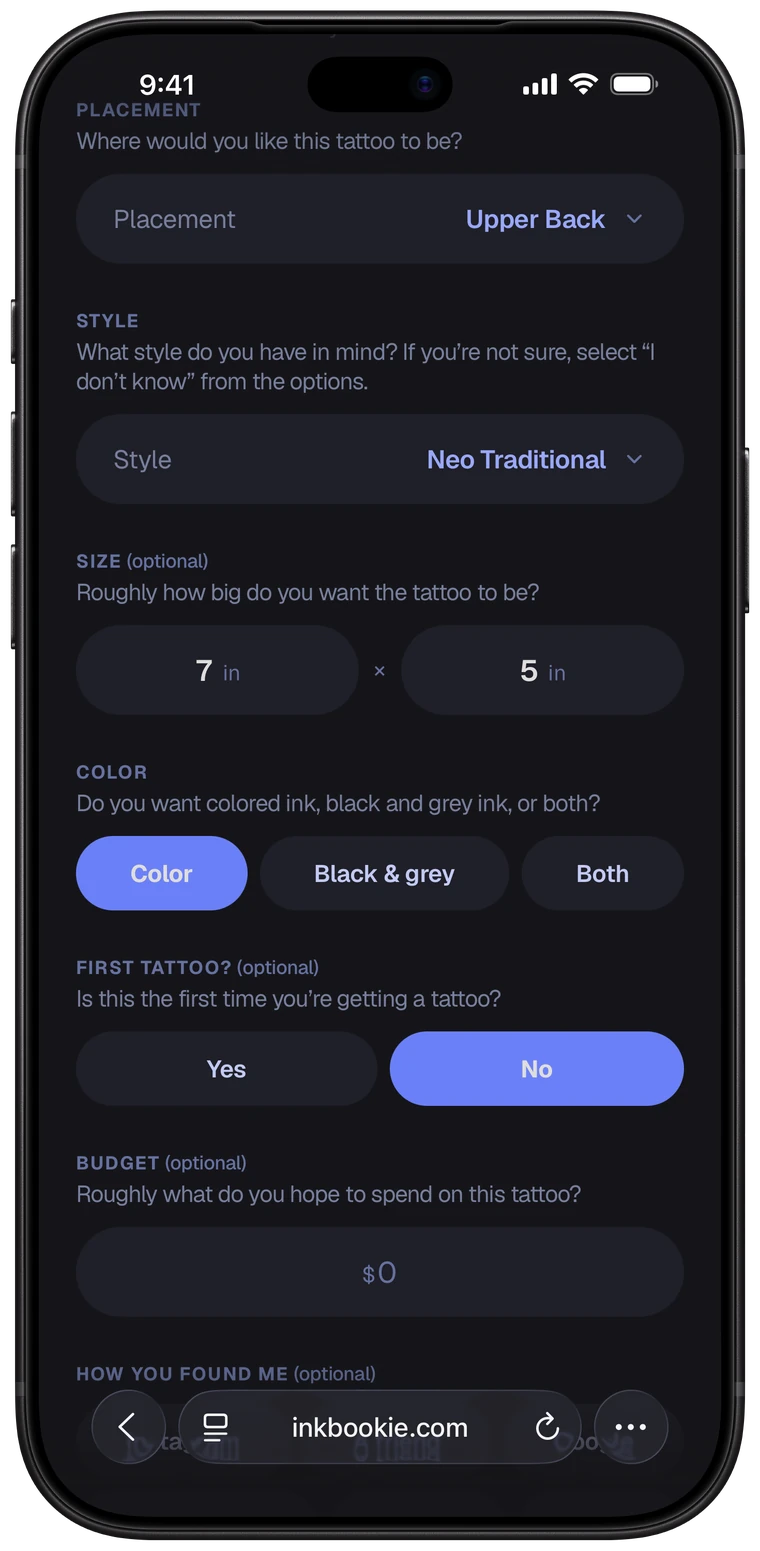
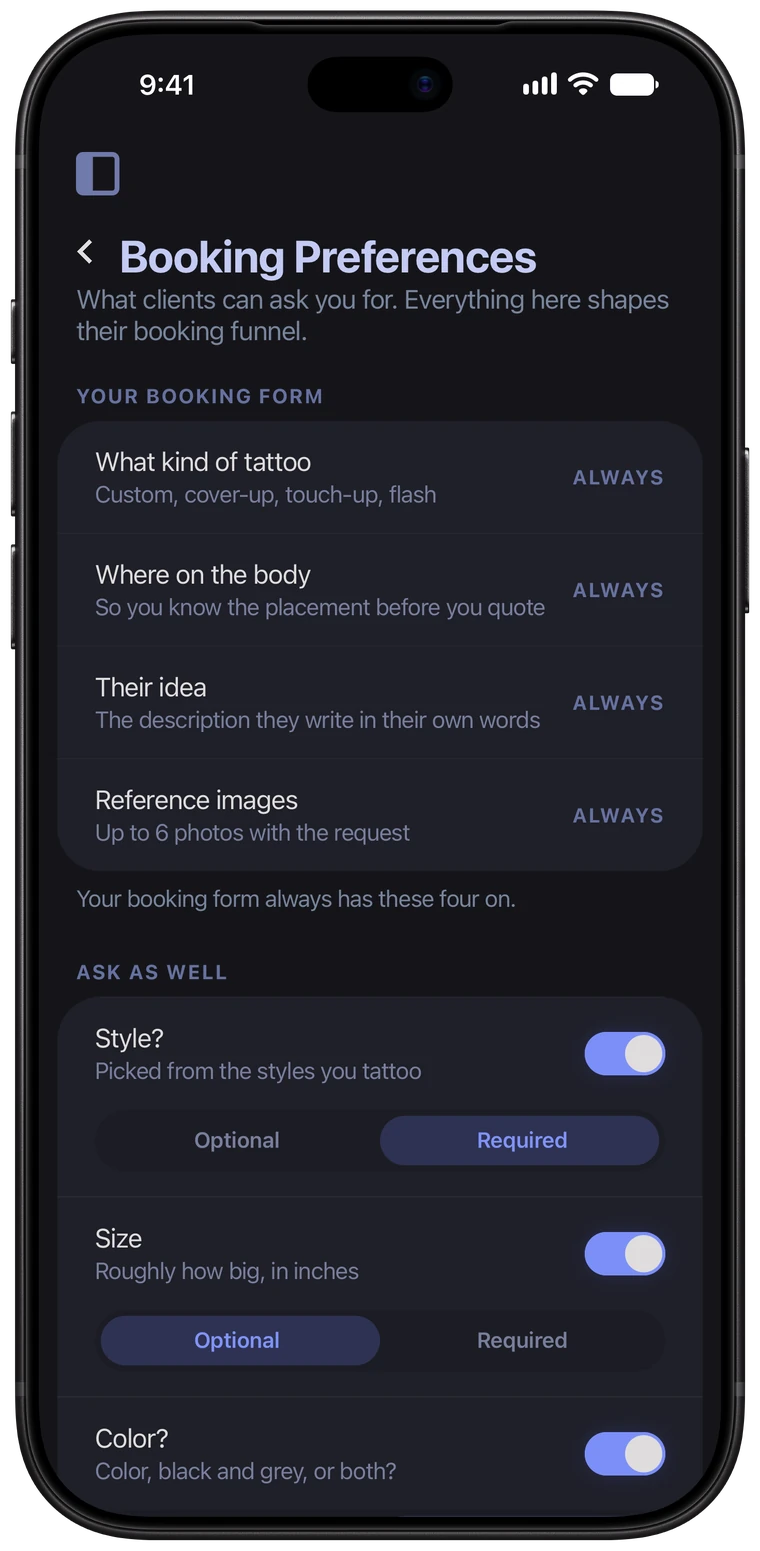
Ask what you need. Skip what you don't.
Placement, their idea and reference photos are always on. Every other question is your call, and each one can be optional or required.
Pick the request types you take, the styles you tattoo and the placements you won't do. Booked up? Close your books with one switch and include a custom message.
- Works in any browser, on any phone
- Style, size and color
- Allergies and medical
- First tattoo? Any nearby tattoos?
- Their budget
- How they found you
Stop texting “still on for tomorrow?”
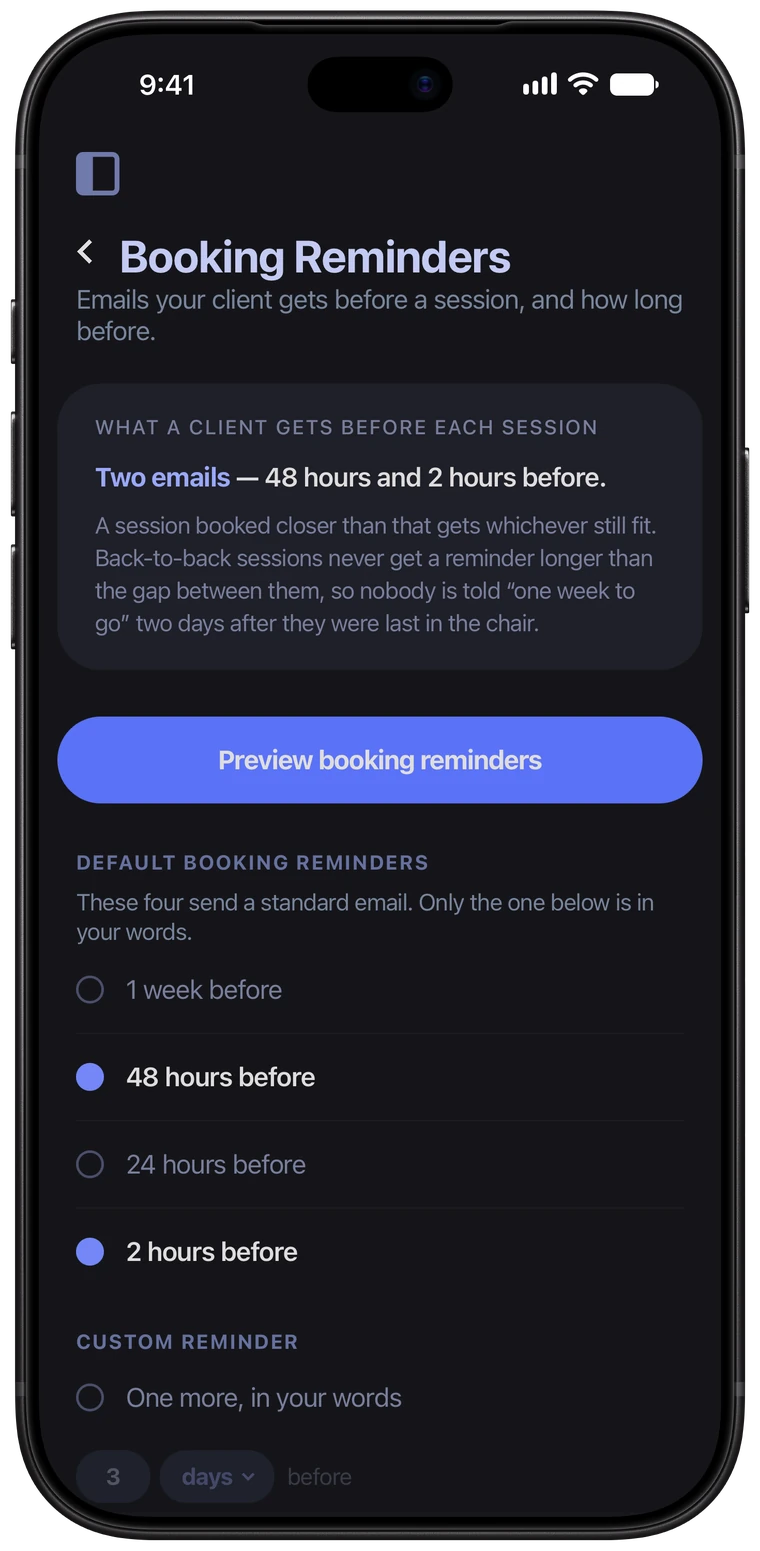
Pick when your clients hear from you before a session. Ink Bookie emails them in your name, on time, for every session you book.
- 1 week, 48 hours, 24 hours or 2 hours before
- One more in your own words, up to 28 days ahead
- Sent in your name, for every session
- Preview exactly what your client gets
No more “what days work for you?”
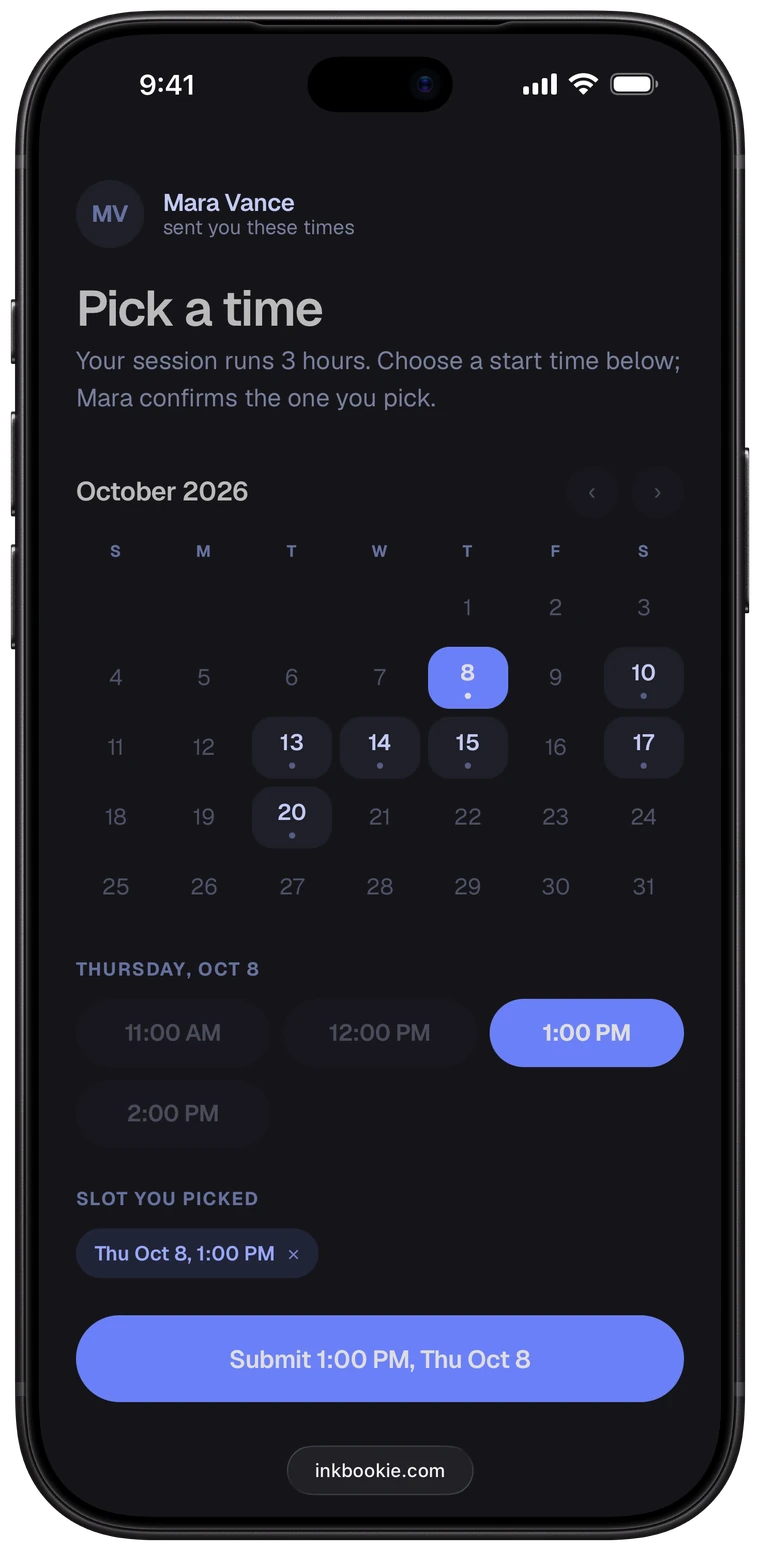
Send your open times in one email. Your client taps a day, taps a time and sends it. No back and forth, no double-booking yourself.
- Only the days and hours you work
- Times already busy on your Google Calendar are never offered
- No app and no account for your client
- You confirm, and they get an email that it's booked
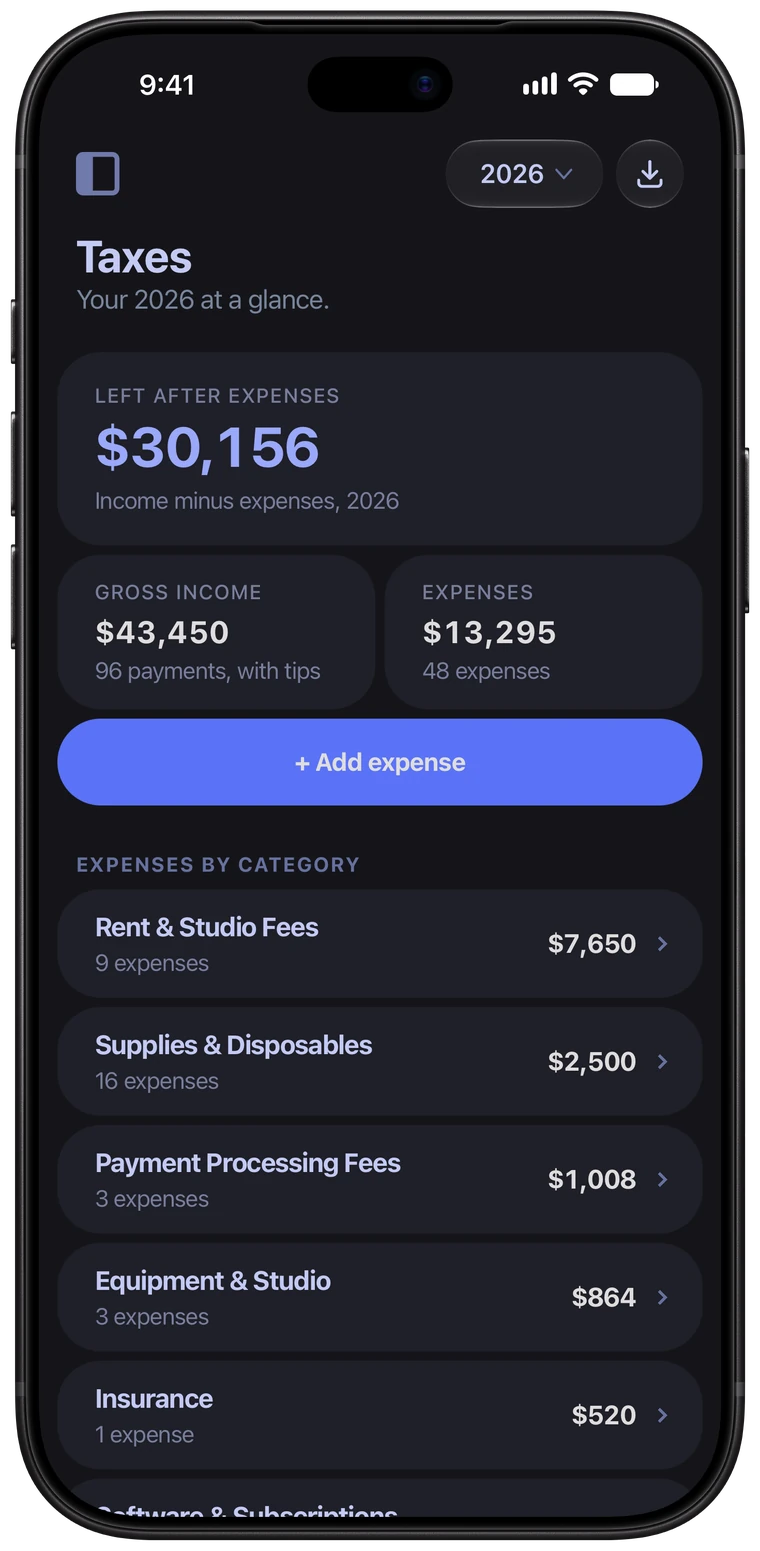
Tax time? Already done.
Every payment you take adds itself to your income. Log an expense when you buy something, and the year totals itself next to it.
- Income from every deposit, balance and tip
- Expenses in 12 categories, from rent to supplies
- A photo of the receipt on any expense
- The whole year as a PDF or a spreadsheet
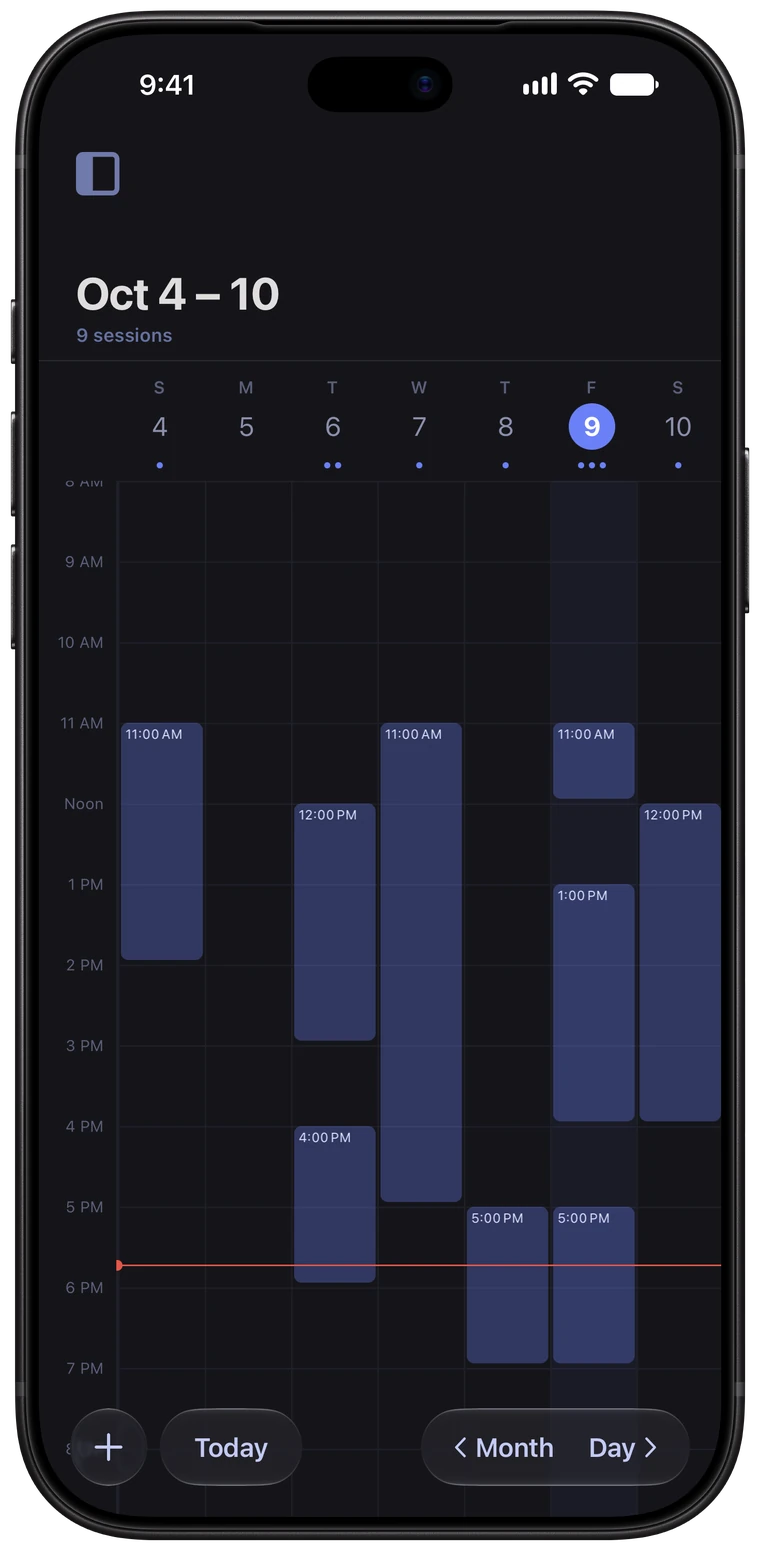
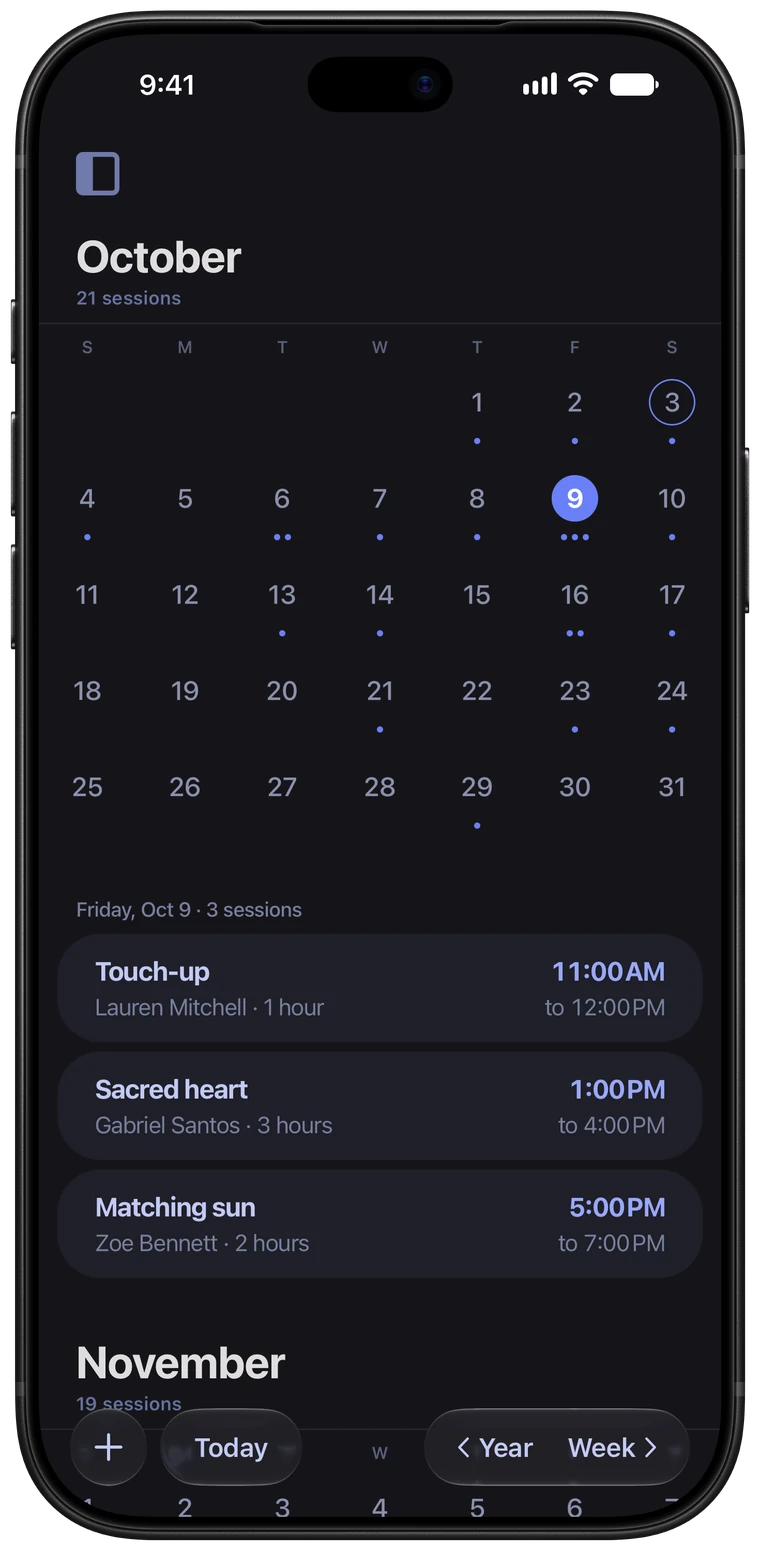
Every session, one calendar.
Every session you book lands on your calendar the moment it's confirmed. Keep your sessions in Ink Bookie's own calendar, or write them to the Google calendar you already use. Busy time on Google stays off-limits when clients pick a time.
- No Google account needed to get started
- Works on its own, or with your Google Calendar
- A client picks a time from your open slots.
- You confirm it in one tap.
- Book a session straight from the calendar
- Month, week and day views
- Choose which view it opens on
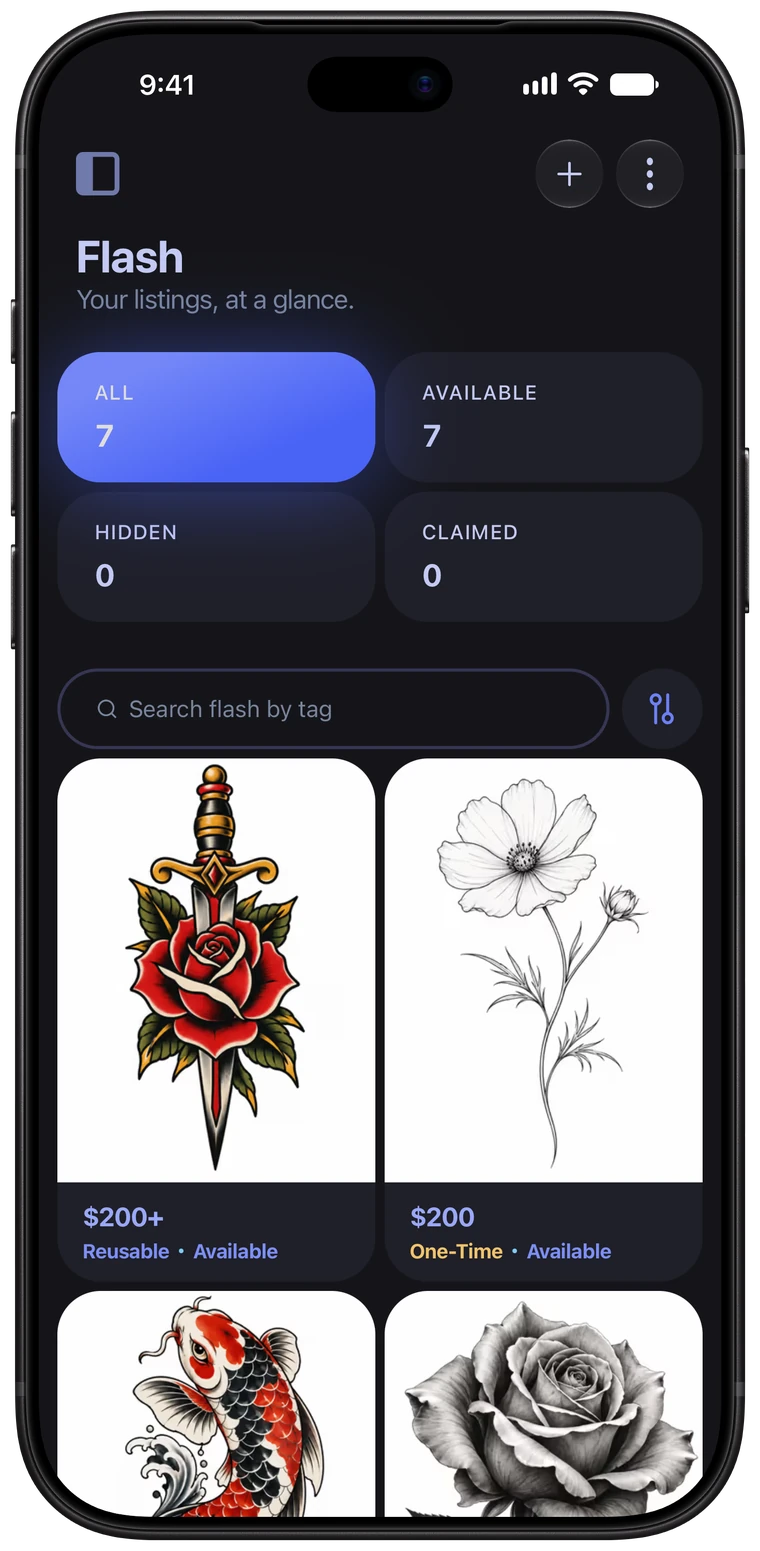
Flash gallery on your booking page.
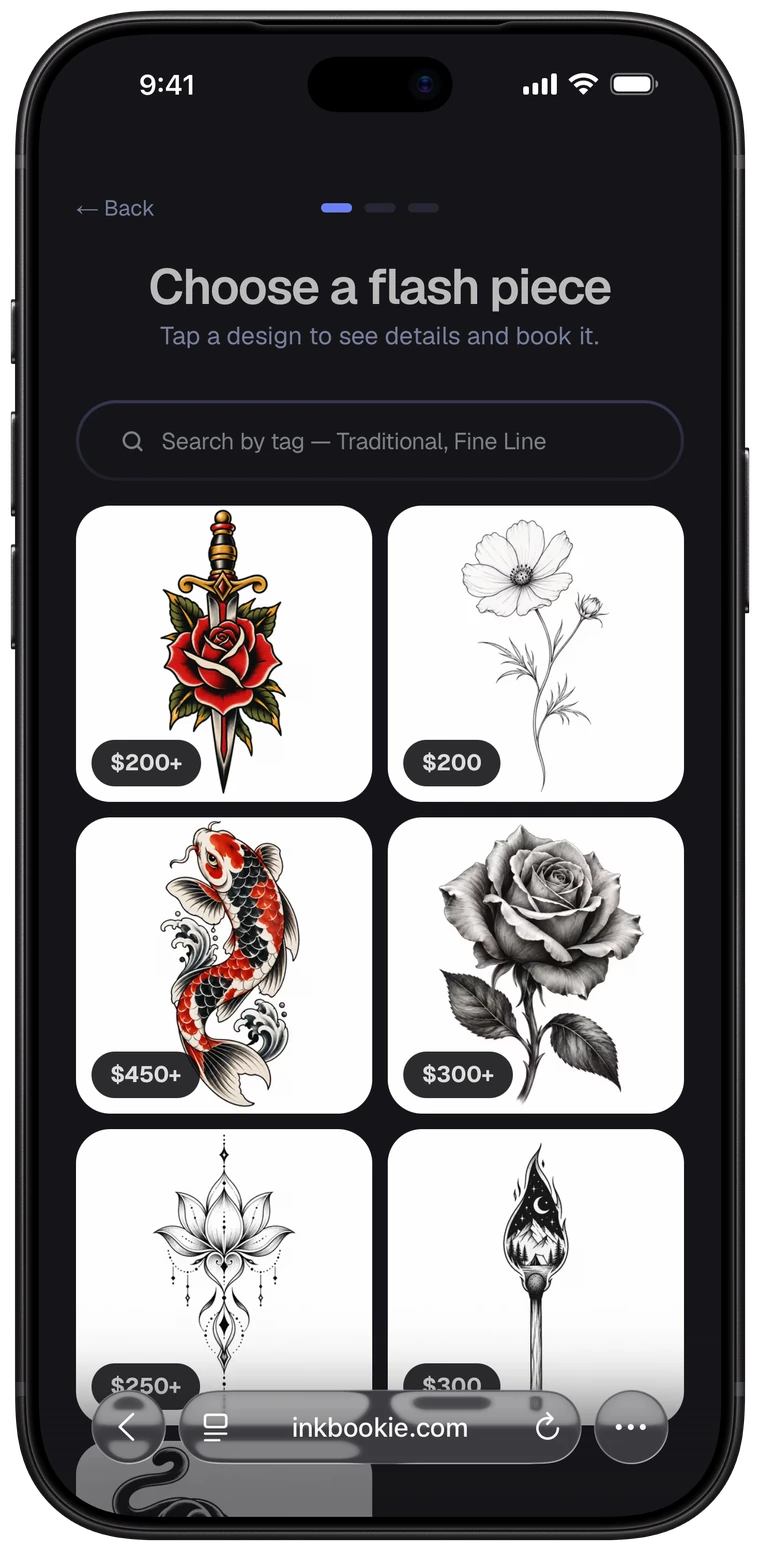
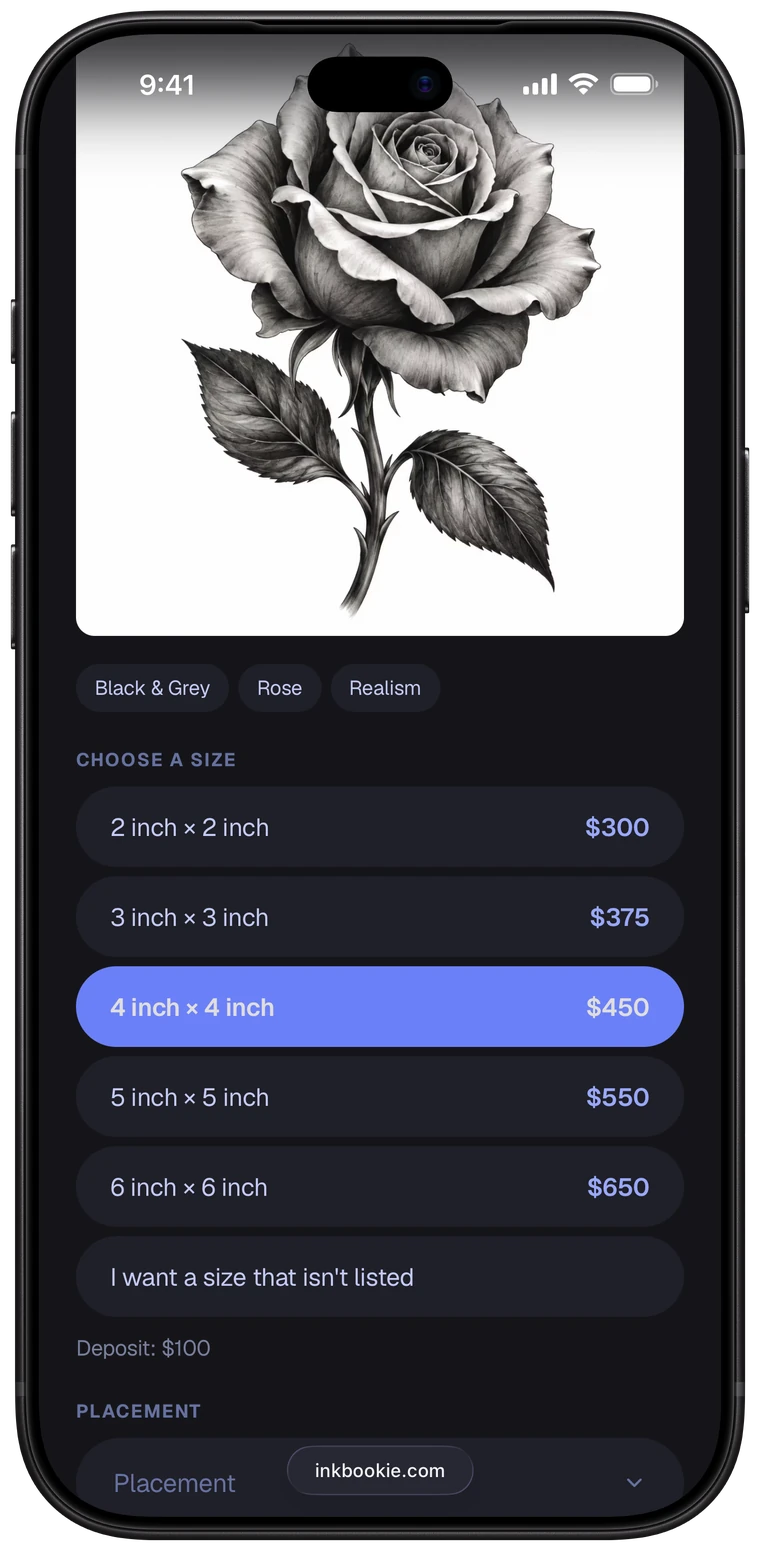
Put your flash on your booking page. Clients see every available design, pick one, choose a size and submit a request. No app and no account needed for them.
- Mark any piece available, hidden or claimed
- Add up to 12 photos per design
- One price, or a price for every size
- Preset deposits for each piece
- Add tags so clients can search your flash
- Set it as a one-time or reusable flash piece
- Placements you won't do are never offered
- Pair it with a promo for a flash sale
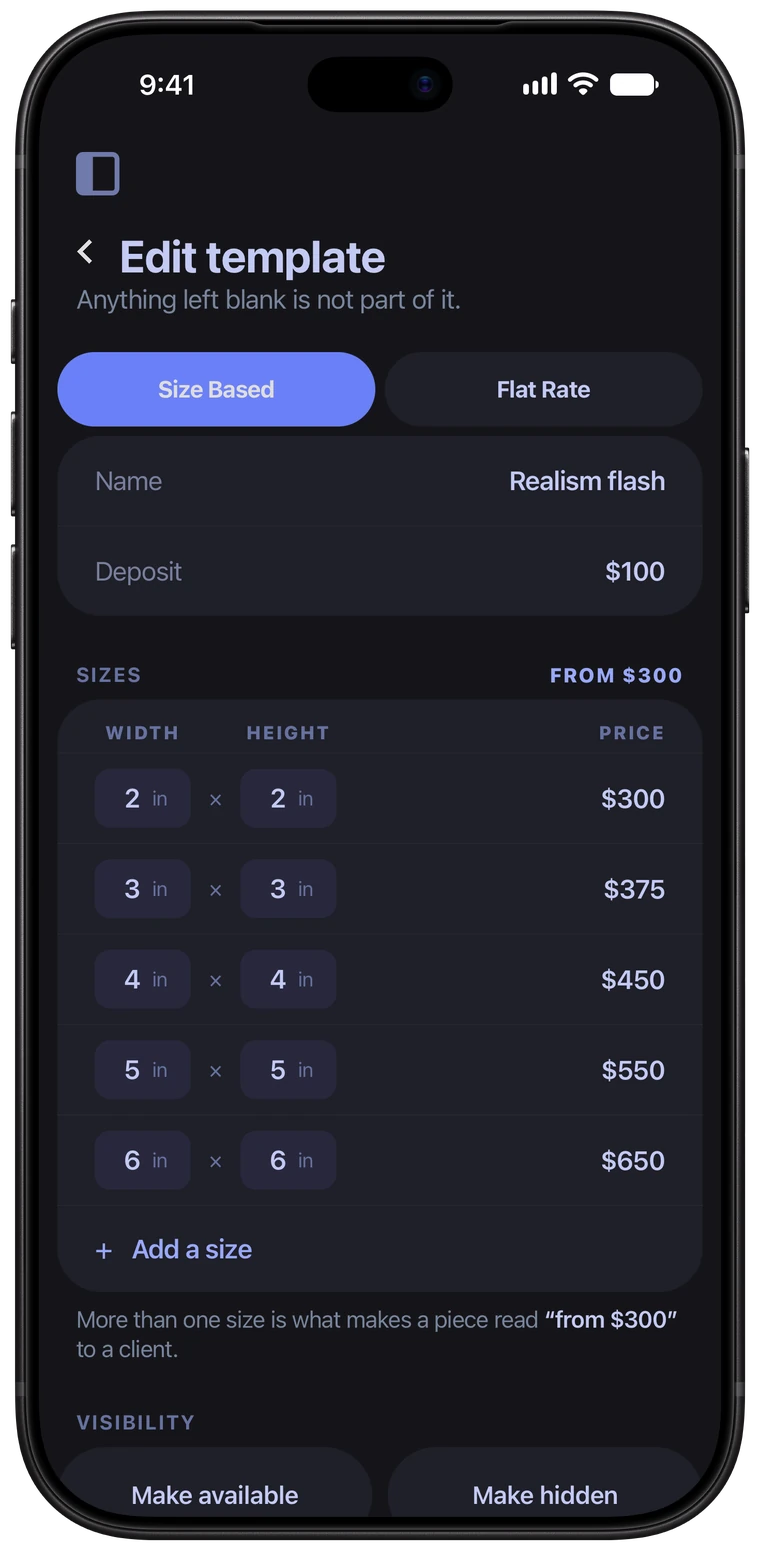
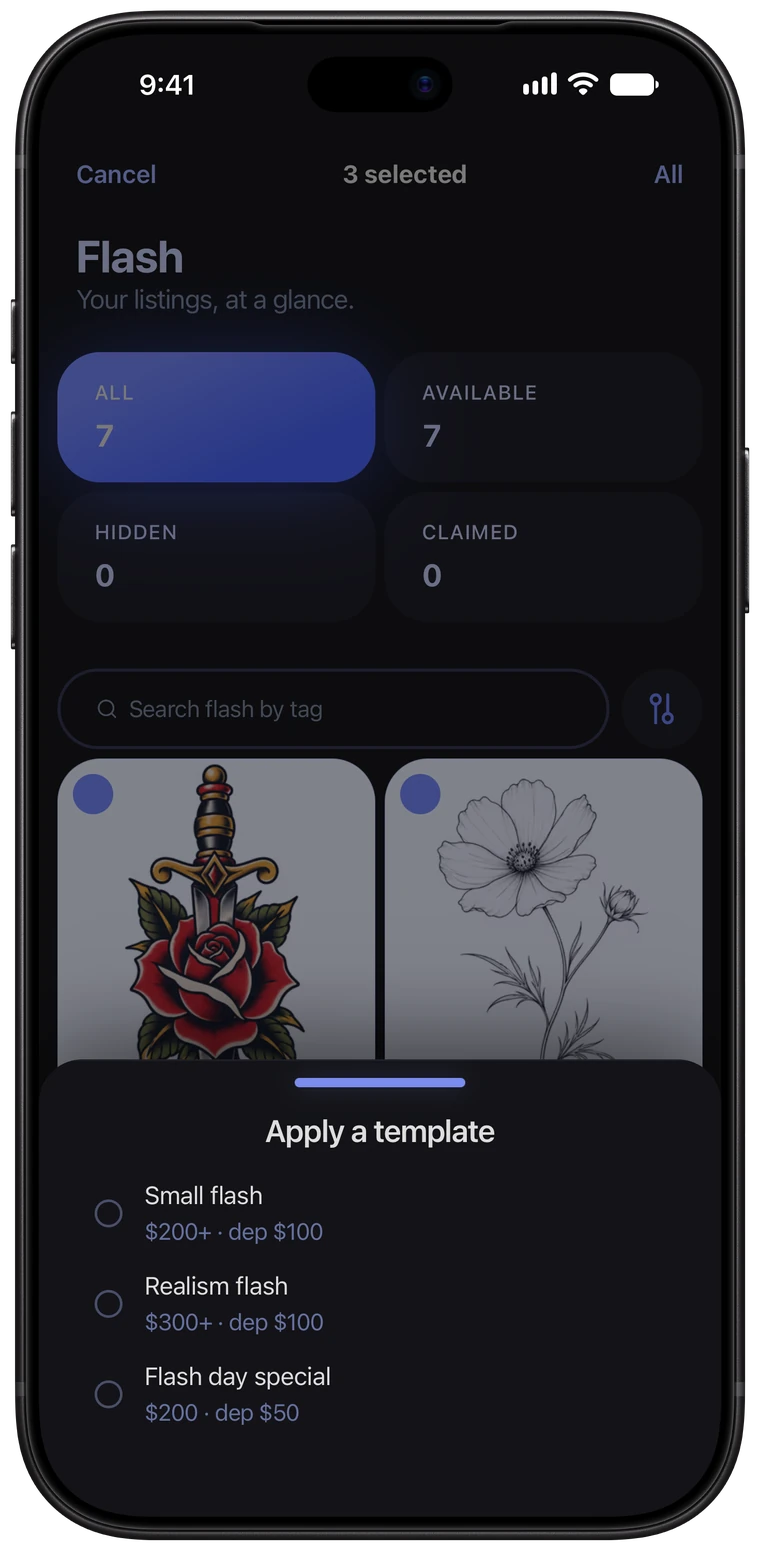
Use templates to set things in bulk.
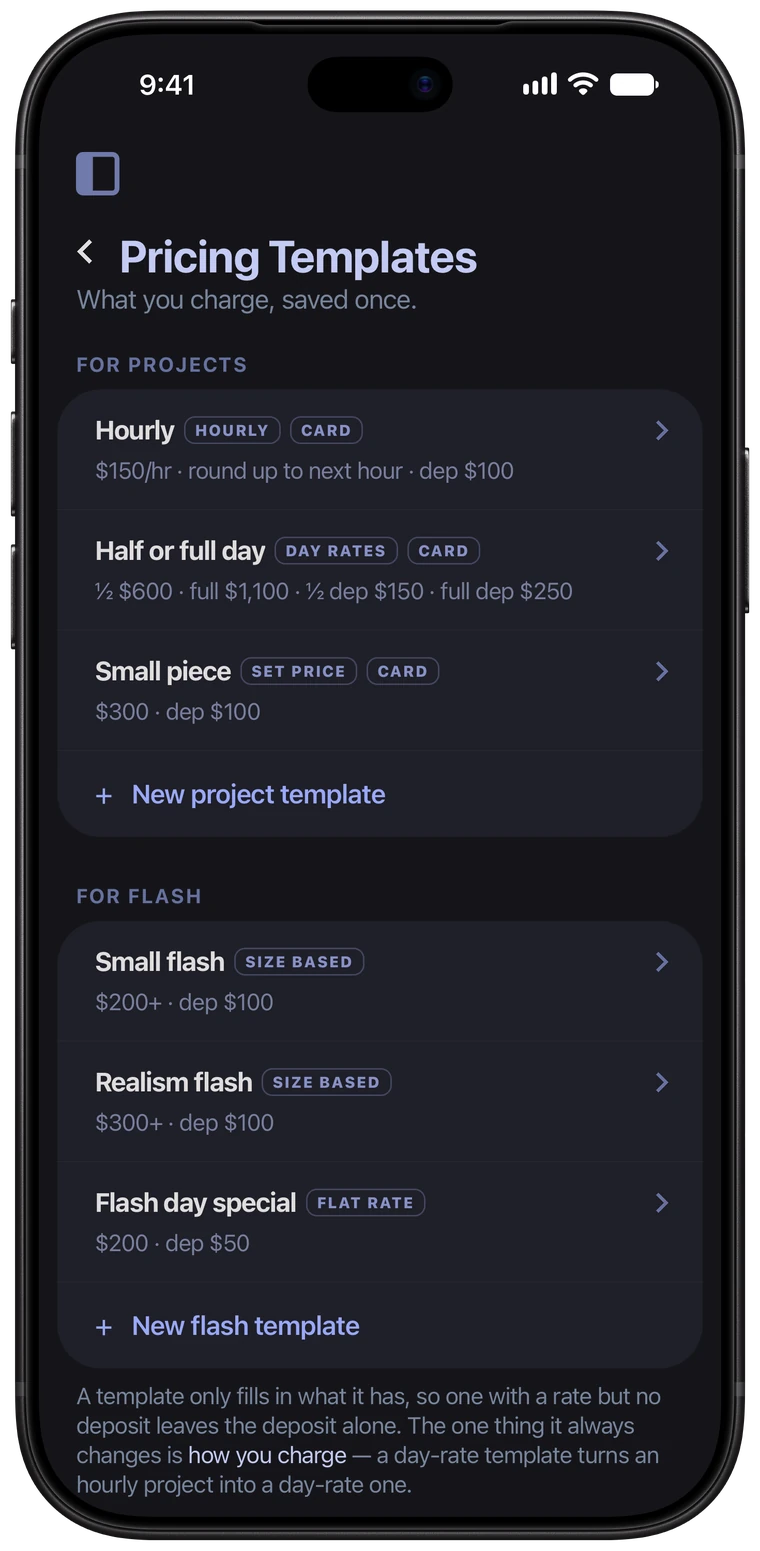
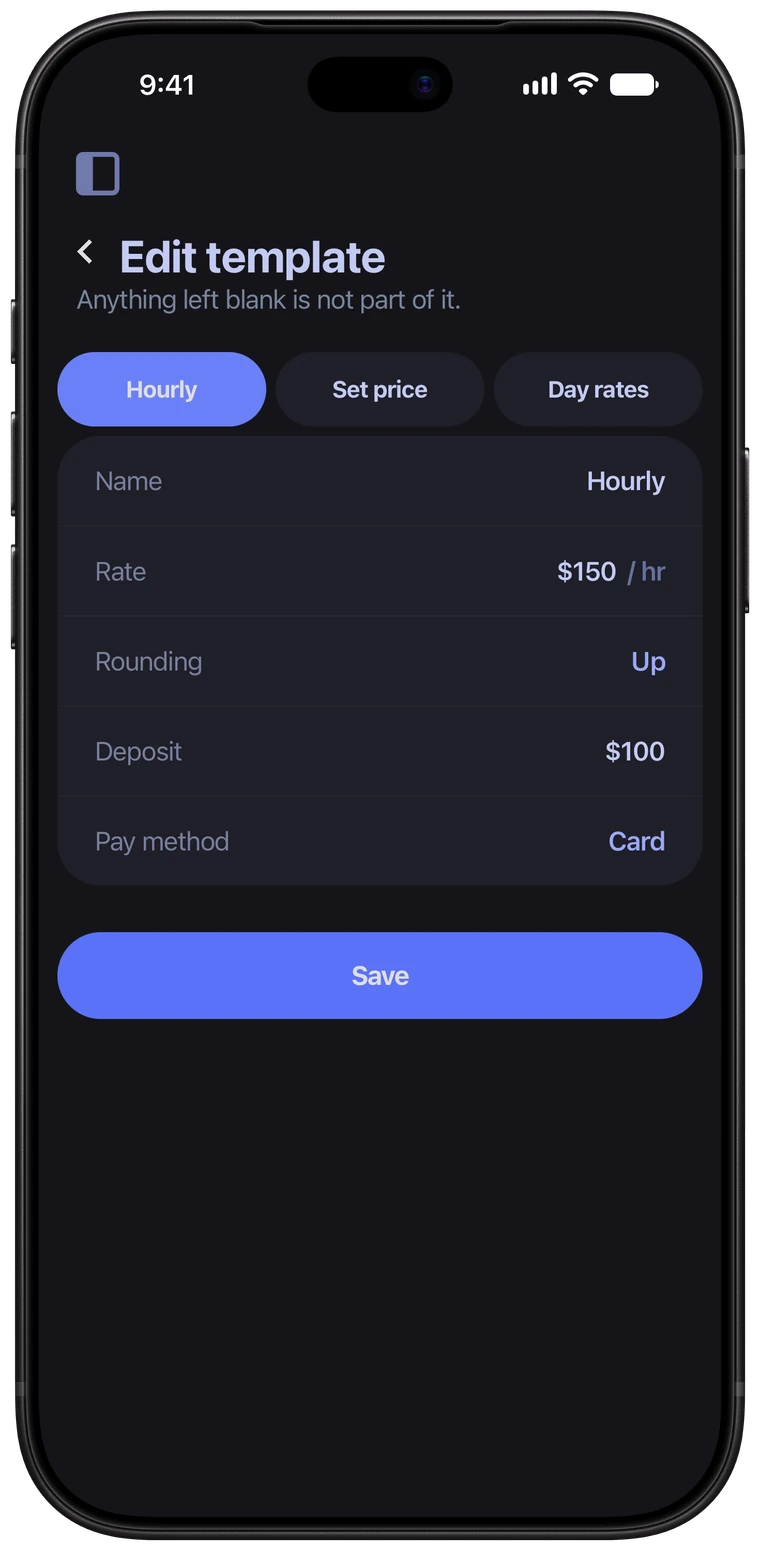
Save how you charge as templates: your hourly rate, your day rates, your set prices and your flash sizes. Then apply them to your projects and flash in bulk, or one at a time.
- Templates for projects and for flash
- Set everything or some things only… in bulk
- Hourly, set price, or half and full day rates
- Deposit and how it's paid, built in
- Flash sizes with a price for each
- Pre set payment methods via templates
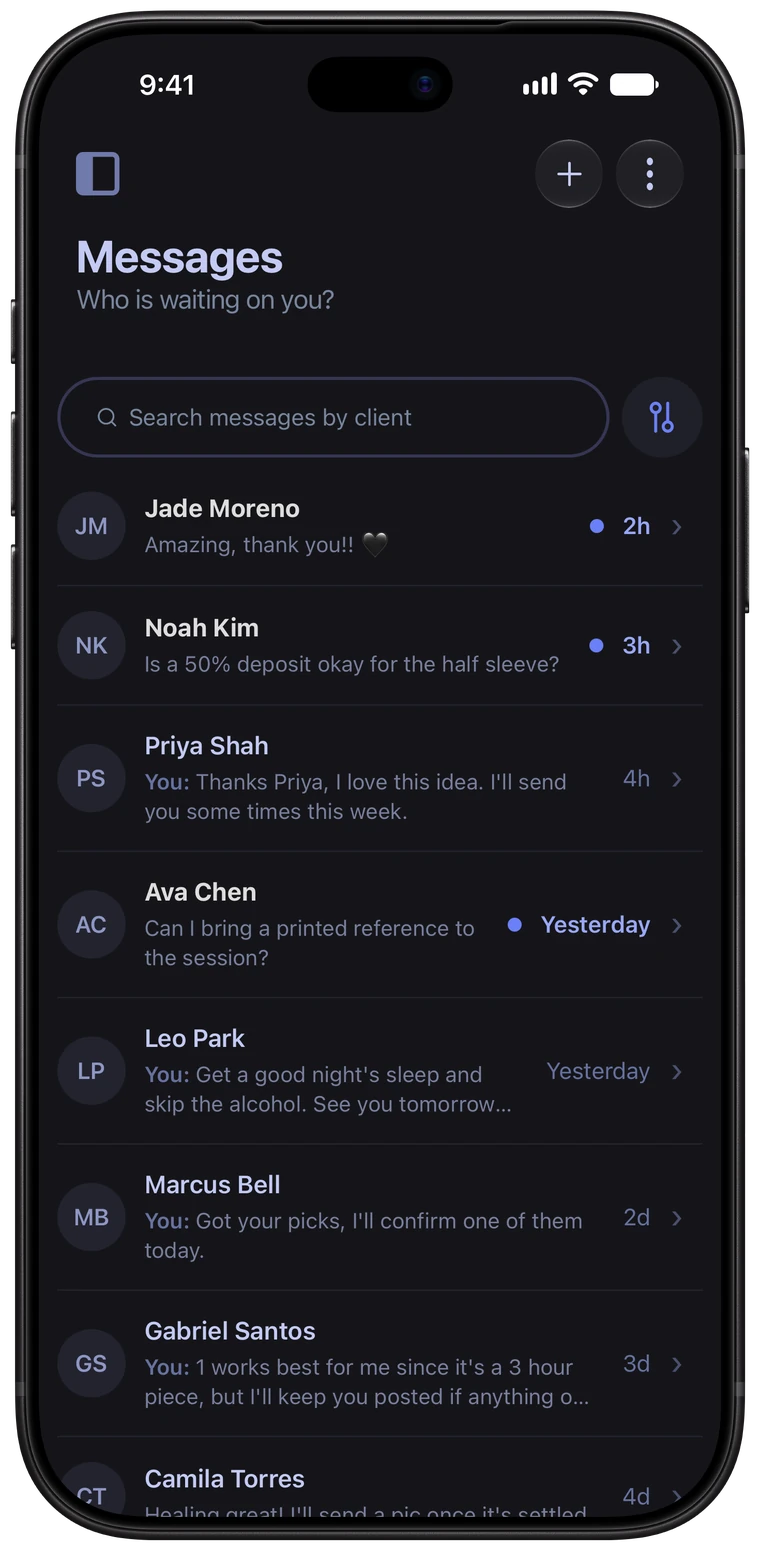
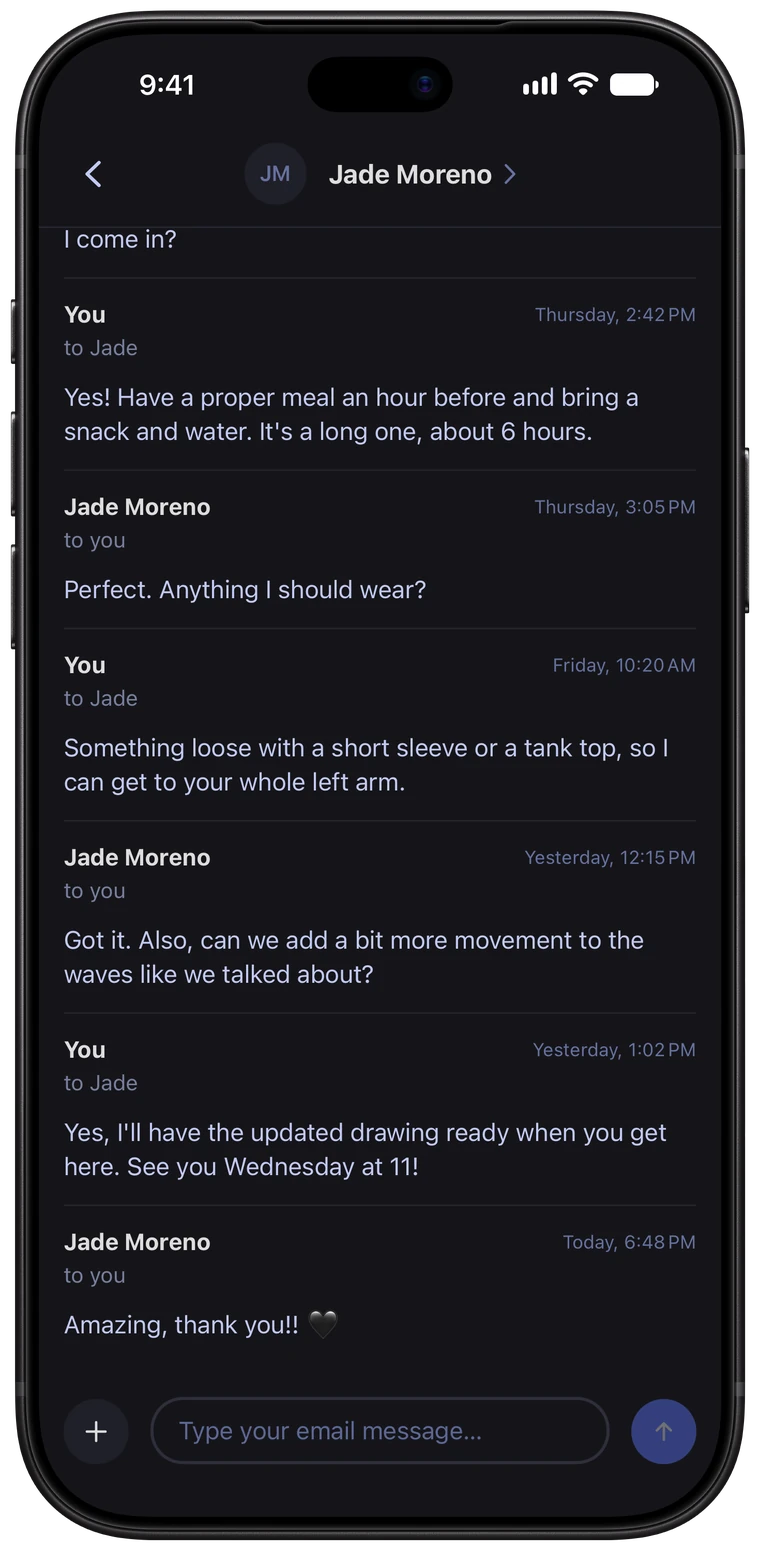
Every conversation, all in one place.
Email your clients from inside Ink Bookie, and their replies come straight back to your app staying in one thread. No more digging through DMs to find what you agreed on.
- Client doesn’t need the app
- Message any client via their email
- One conversation per client
- Search by client name or message text
- You're notified when a client replies
- Archive conversations you're done with
- Photo sharing back and forth
Aftercare Reminders
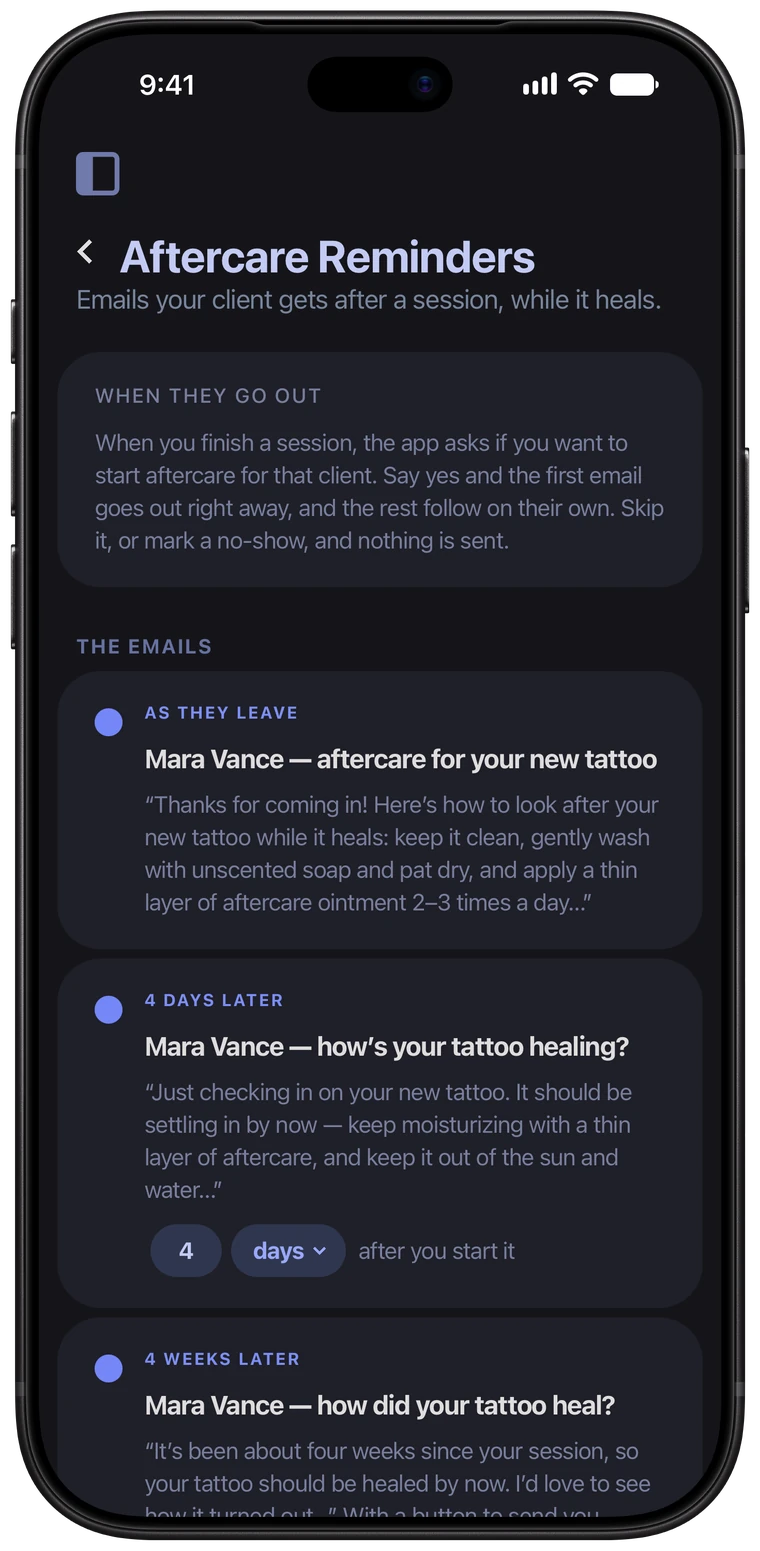
When a session's done, start aftercare for that client in one tap. The instructions go out right away, and the follow-ups arrive on their own while it heals based on your times preferences.
Four weeks after the session, your client gets an email asking how it healed, with a button to submit photos that land on the project‘s healed photos section.
- Start aftercare after any session
- A check-in a few days later
- Automated healed photo request follow up
- Set your own timing for aftercare to go out
Use Promos to fill up your slow season.
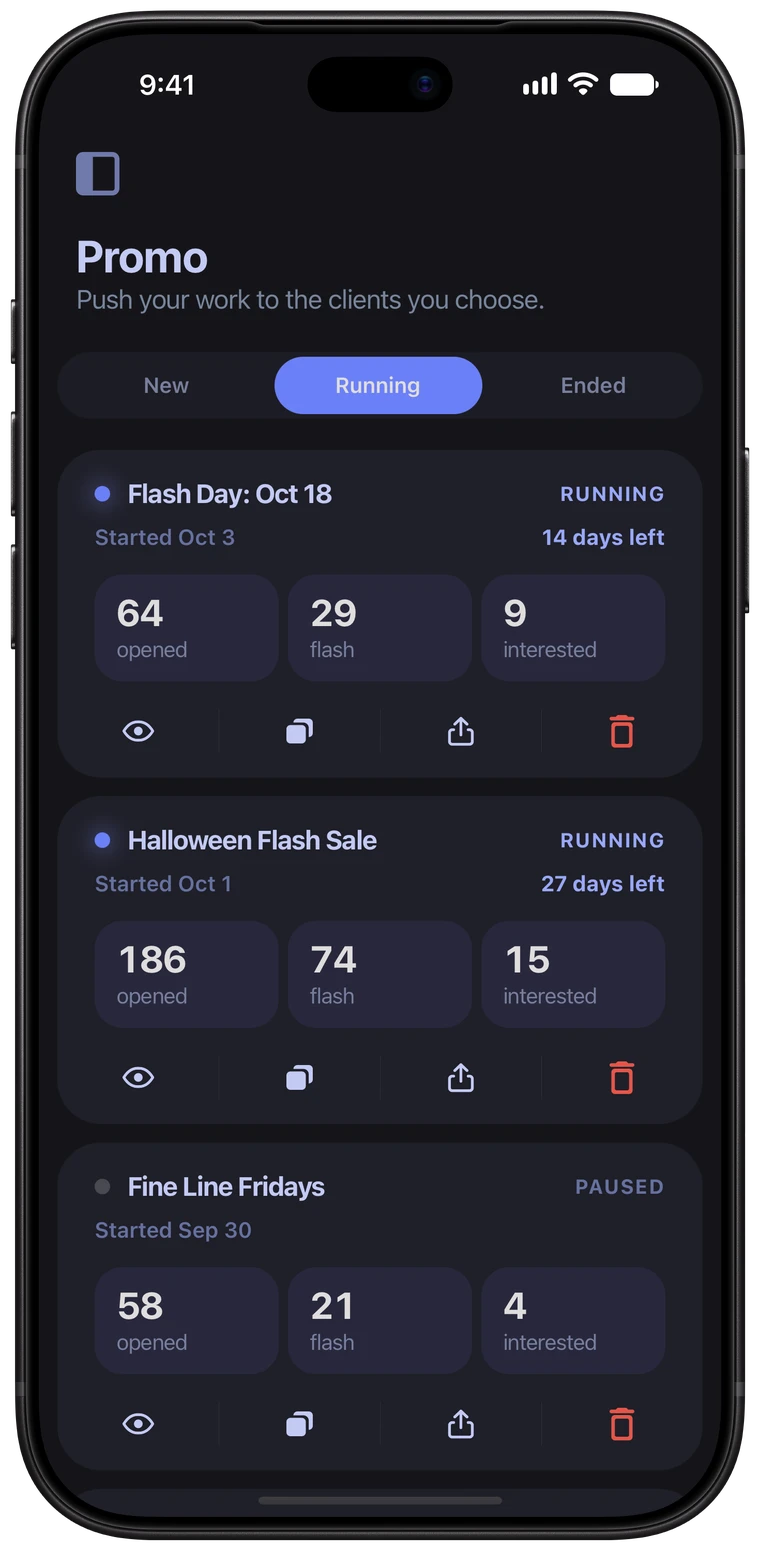
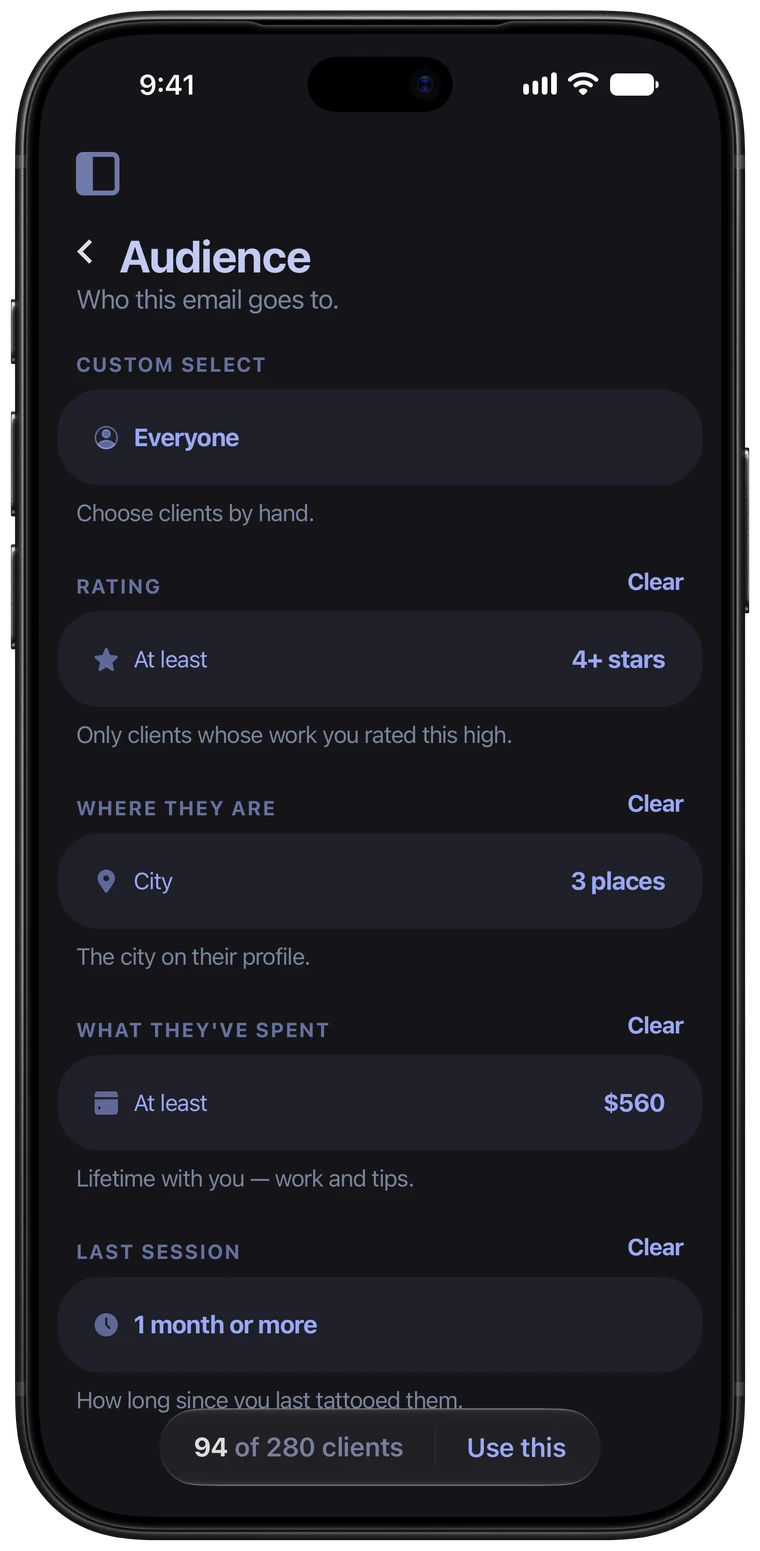
Run a flash sale, announce a guest spot, or bring back your regulars. Share a link anywhere, or email the clients you choose, and watch who bites. Narrow your audience down to the people a promo is for by several metrics. Every request it brings in lands in your app, ready to book.
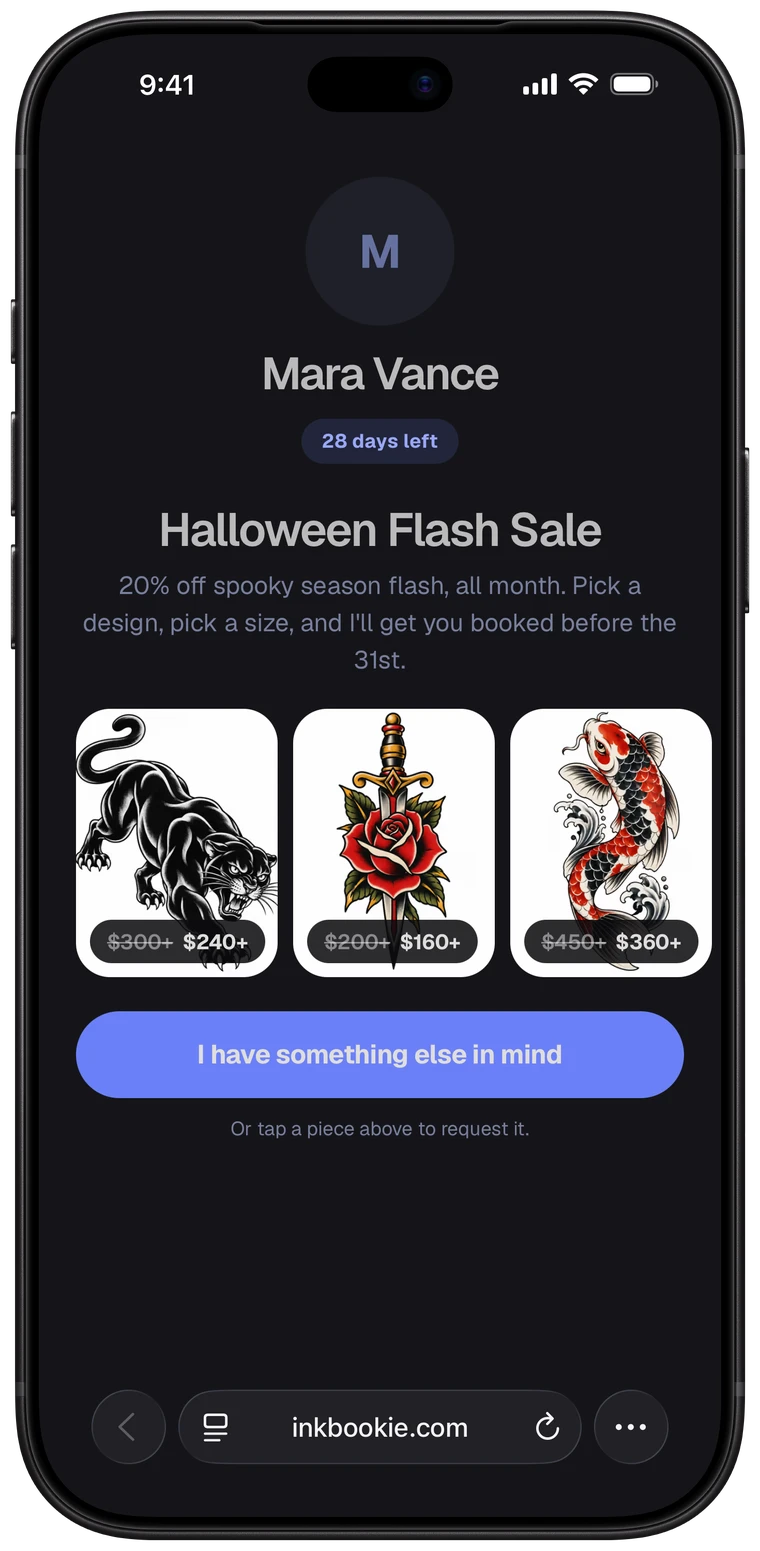
Every promo counts the people who opened it, tapped one of your flash pieces and said they were interested, so you know what to run again. Add flash pieces to a promo with a discount, and clients see the old price crossed out next to the new one.
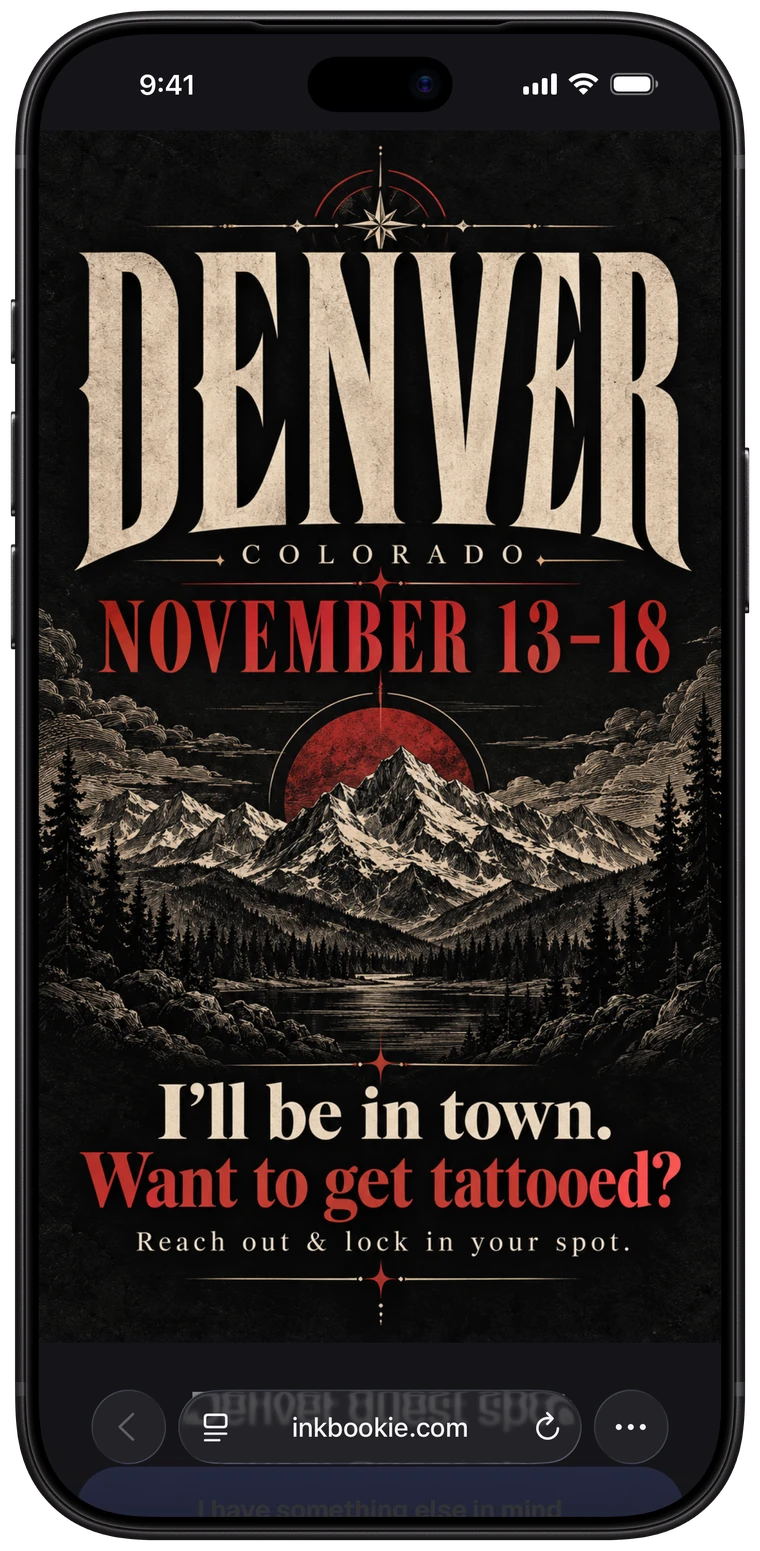
Made a flyer for your guest spot? Hide your name and photo, and your flyer takes the entire page. Have the full promo page designed your way!
- A link to post anywhere, or bulk email to clients
- Flash sale by percent or a dollar amount discount
- See how many people opened the link
- Filter by rating, city, spend, and last session
- Hand pick clients
- See how many clients you will reach
- Pause a promo and pick it back up later
- Set an end date, or let it run until you stop it
Balance your sessions and personal life, realistically.
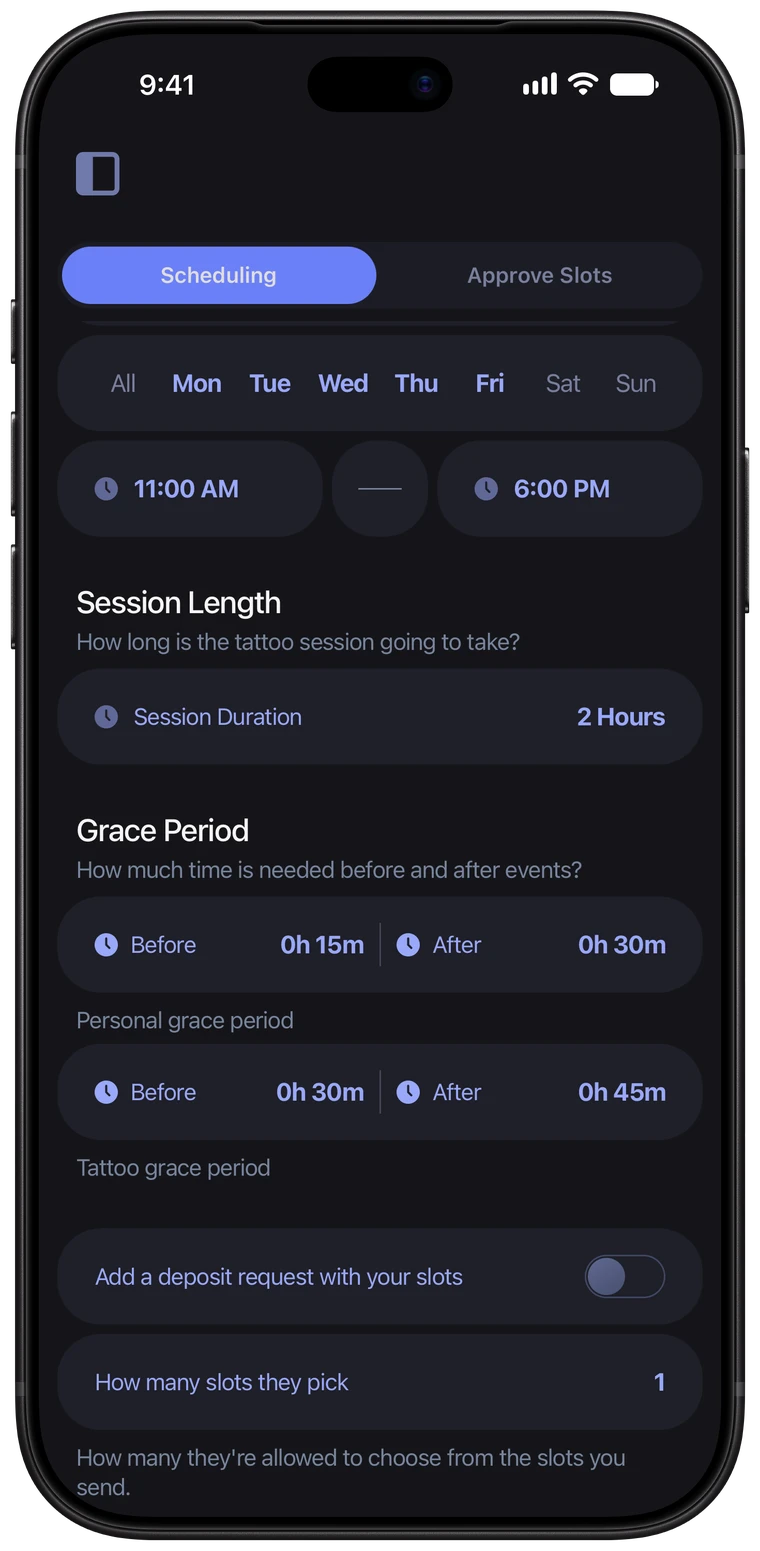
Grace periods are buffer time Ink Bookie keeps around your sessions and your personal events. A tattoo grace period covers setup and cleanup between bookings. A personal grace period keeps room around the events on your Google Calendar, so you can get there and back.
- What is a grace period?
- Buffer time around your sessions and personal events. Clients are never offered a time inside it.
- What's the difference between the two?
- Tattoo grace is your setup and cleanup. Personal grace is the time to get to and from the events on your Google Calendar.
A dentist appointment, minute by minute
Tattoo grace 15 minutes, personal grace 30 minutes, dentist from 2pm to 4pm.
- 1:15pmThe latest a session can end
- 1:15 – 1:30Clean up your station
- 1:30 – 2:00Drive to the dentist
- 2:00 – 4:00Dentist
- 4:00 – 4:30Drive back to the shop
- 4:30 – 4:45Set up for the next client
- 4:45pmThe earliest time a client is offered
Ask it before you hand over your email.
22 questions, sorted by what artists ask first.
Nothing matches that. Try a different word, or clear the search to read them all.
$40 a month, after a 30-day free trial. One plan with every feature in it. No setup fee, no per-booking fee, and no cut of what your clients pay you.
No. Deposits and balances go straight to your own Square, Stripe, Zelle or Venmo account. Ink Bookie never holds your money and never takes a percentage. Your card processor's own fee is the only thing taken out, exactly as it is today.
Yes. The first 30 days are free and you can cancel any time before it renews. If you cancel, you can still export your clients and payments.
Ink Bookie is launching on iPhone. Leave your email and you'll get the download link the day it's out, before it's announced anywhere else.
No. Your clients book and pay from your link in any browser, on any phone or computer. They never download anything and never make an account.
The artist app is iPhone first. Everything your clients touch, the booking link, the flash gallery and the payment pages, works in any browser on any device.
No. Most artists start with whoever books next, and the app fills up on its own. If you'd rather bring your regulars in now, you can add them with their pieces, photos and notes.
One artist. Ink Bookie is built for artists who run their own book, not for a front desk managing a floor of people.
Card through your own Square or Stripe, or Zelle, Venmo and cash. You send a deposit or balance request and they pay from the link. Cash and transfers are recorded in a tap so the project still adds up.
On your processor's normal schedule, usually one to two business days for card payments. It goes from your client to your account. It never passes through us, so there's nothing for us to hold up.
That's Tap to Pay on iPhone, coming soon. Your client taps their card or phone against your iPhone, with no reader and no second app, and it's marked paid on the project. Until then you can send them a payment link in seconds.
You set your deposit amount and policy once, and every request shows it to the client before they book. If someone doesn't turn up, mark it a no-show in a tap and your deposit rules speak for themselves.
Yes. Log expenses by category with a photo of the receipt, and the year adds itself up next to your income. Download the whole year as a PDF or a spreadsheet for whoever does your taxes.
One link, in your bio or anywhere else. It asks for the piece, placement, size, style and reference photos, so the request arrives finished and your first reply can be a price.
Yes, both ways. Sessions you book show up there, and time you're already busy there blocks clients from booking over it.
Yes. Publish your flash with set or size-based prices, and mark a piece one-time so it leaves the gallery once it's claimed, or reusable to keep offering it.
Yes. Write them once in your own words. The booking reminder goes out before the session and aftercare follows once it's done. You can ask for a healed photo later, and it's saved to the project.
Yes. Each client has an email thread inside the app, so what you agreed on sits with their piece, their photos and their payments instead of scrolling back through DMs.
Your hours are yours, not a studio's. Set the days and times you work and where each session happens, and clients only ever see what you've opened up.
Yes. Client records and photos are encrypted, they are never sold or shared, and you can delete a client and everything attached to them whenever you want.
You get a person, not a form. Support sits in the app, and in the first months after launch the person answering is usually the one who built the thing you're asking about.
Yes, any time, from inside the app. You keep access until the month you've paid for ends, and you can export your clients and payments before you go.
One plan. Everything in it.
No tiers, no add-ons, no cut of your deposits. Payments go straight to your own Square, Stripe, Zelle or Venmo.
- Booking link, requests & flash gallery
- Scheduling, sent slots & Google Calendar
- Clients, projects & messages
- Deposits, balances, tips & receipts
- Square, Stripe, Zelle, Venmo & cash
- Tap to Pay on iPhone (coming soon)
- Promos, reminders, aftercare & taxes